HHKB-Studio
HHKB experience with hot-swappable mechanical switches.
Learn More About HHKB-Studio
Type comfortably with ergonomic mechanical keyboards designed to reduce strain and improve posture. Ideal for long hours at the desk, these keyboards combine high-performance switches with ergonomic layouts to support healthy typing habits.
Scroll down to explore our range of ergonomic keyboards.
HHKB's approach to a comfortable typing experience is subtraction. The compact 60% design drops the number pad, the arrow cluster, and the navigation block, which pulls everything left on the board within a finger's reach of the home row. Keeping your hands close together in a comfortable, more ergonomic position.
The unique HHKB layout also helps with ergonomics. Control sits where Caps Lock normally goes, so shortcuts land under your pinky instead of pulling your left hand into the bottom corner. Arrows and function keys live on the Fn layer, so your right hand never leaves the letters to move a cursor. If you're shopping for a programming keyboard, that's where the difference shows up, in the thousands of small reaches you end up not having to make.
The keycaps and switches handle the rest. HHKB Topre keycaps are dished rather than flat, so your fingertips settle into position instead of sliding around on top. Topre switches press with a light, even force and no hard bump to push past.
Long typing or coding sessions are easier with an ergonomic HHKB keyboard. The compact layout shortens the reach to numbers, symbols, arrows, and function keys, so your fingers cover less ground over thousands of keystrokes.
A compact ergonomic keyboard also saves desk space and keeps your mouse closer to your hand. Comfort is personal, so the notes below describe what many HHKB owners report rather than a guaranteed result:
HHKB offers three ergonomic models, and each one suits a different way of working. Here is how they compare.
| Model | Switches | Connectivity | Best For |
|---|---|---|---|
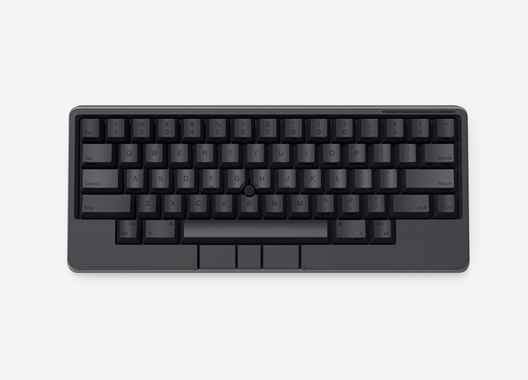
| HHKB Studio | Hot-swappable MX-style mechanical switches, plus a built-in pointing stick and four gesture pads | USB-C and Bluetooth | Creators who want mouse control and switch customization built into the keyboard |
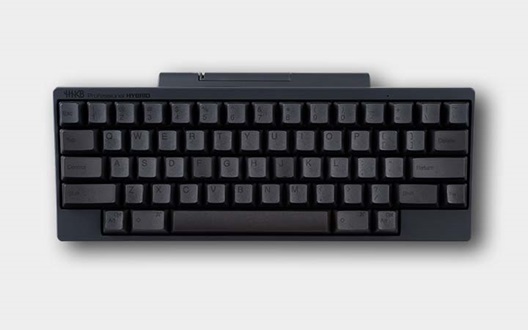
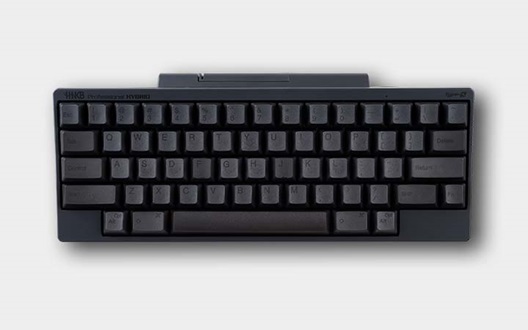
| HHKB Professional HYBRID | Topre electrostatic capacitive | USB-C and Bluetooth (up to 4 devices) | Typists who want the classic Topre feel across several devices |
| HHKB Professional HYBRID Type-S | Silent Topre (Type-S) | USB-C and Bluetooth | Anyone who wants our quietest, flagship Topre experience |
The best ergonomic mechanical keyboard is the one that matches how you work, so weigh these points before you decide.
They can help when they are part of a healthy setup. The Occupational Safety and Health Administration advises keeping your hands, wrists, and forearms straight and roughly parallel to the floor, and a compact layout that cuts finger travel supports that neutral posture. Results vary by person, so pair the keyboard with good desk habits and regular breaks.
Expect a short adjustment period. Because functions like arrows live on a secondary layer accessed with the Fn key, your muscle memory needs a few days to adapt. Most typists find the shorter reaches feel natural with practice.
No, the 60% layout leaves out a numpad and standalone arrow keys to keep the footprint small. You reach those functions through the Fn layer or a custom keymap instead. If you enter numbers all day, weigh that tradeoff before you buy.
Yes, the light, fast Topre switches respond well in games, and the compact size leaves more room for wide mouse movement. The main consideration is that arrows and function keys sit on the Fn layer, so you may want to remap keys to suit the games you play.