60% Mechanical Keyboards
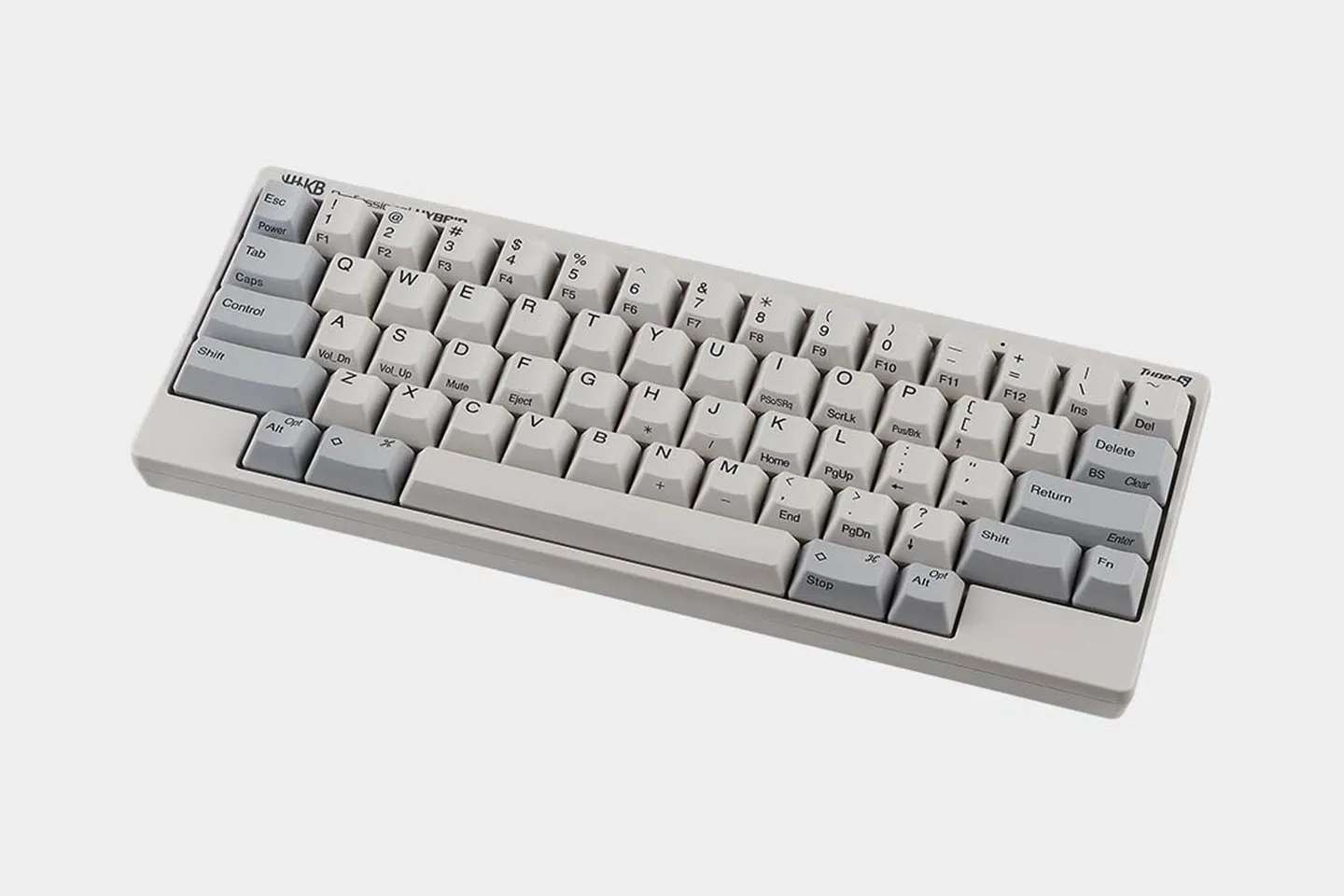
60% mechanical keyboards strip a full layout down to the alphanumeric and modifier keys you use most. If you program or write for hours a day, the compact footprint tightens your typing posture and leaves more room for your mouse. HHKB has been built around this idea since 1992, when Dr. Eiiti Wada set out to keep only the keys a professional truly needs.
Explore our best 60 percent keyboard and learn more about whether they are right for you below:


Why Choose a 60% Mechanical Keyboard?
A compact mechanical keyboard earns its place through what it gives back to your desk and your hands. Here is what draws long-session typists to the 60 percent layout.
- Reclaim your desk. The compact board frees up surface space on your desk and gives your mouse a wider, more comfortable sweep.
- Pack it anywhere. A 60 percent keyboard slips into a bag, so it travels to the office or a cafe without fuss.
- Type with less travel. Keys sit close to the home row, so your fingers move shorter distances through a long writing or coding session.
- Keep your focus. A minimal layout clears away keys you rarely press and leaves a clean surface that holds your attention on the work.
Read our deep dive into 60% keyboards to learn more.
Accessing Missing Keys With Layers
The most common worry about a 60 percent keyboard is losing the arrow keys and function row. Layers answer it directly.
Holding the Fn key turns your existing keys into a second set of inputs, so a cluster near the home row becomes your arrows. On HHKB boards the keymap is programmable, so you decide where each function lives.
Switches and Typing Feel
HHKB builds two typing experiences across its lineup. The Professional line uses Topre electrostatic capacitive switches, which register a keypress through a change in capacitance rather than metal contact. That contactless action gives the smooth, quiet keystroke and cushioned landing HHKB is known for.
The HHKB Studio takes a different path with hot-swappable MX-style switches. You can pull and replace the switches by hand, so you tune the feel and sound to your taste. Topre suits typists who want one refined, quiet stroke, while MX suits those who like to experiment.
60% vs. Other Keyboard Sizes
Every keyboard size trades footprint for keys. Here is how a 60 percent keyboard lines up against the common alternatives.
| Size | Numpad | Function Row | Arrow Keys | Footprint |
|---|---|---|---|---|
| 60% | No | No | Via Fn layer | Smallest |
| 65% | No | No | Dedicated | Very compact |
| 75% | No | Yes (compact) | Dedicated | Compact |
| TKL (Tenkeyless) | No | Yes | Dedicated | Medium |
| Full-Size | Yes | Yes | Dedicated | Largest |


Most typists adjust within a few days. Letters and modifiers stay in familiar spots, so your main task is learning the Fn layers for keys like arrows and delete, which soon becomes muscle memory.
Many do, and HHKB is one of them. The Professional Hybrid and HHKB Studio connect over Bluetooth when you want a clean desk and switch to USB whenever you prefer a wired link.
Roughly 60 keys, which is where the name comes from. It removes the number pad, function row, arrow cluster, and navigation block, then places those keys on layers you reach with a Fn key.
Yes, they are built for exactly that kind of work. HHKB shaped its 60% mechanical keyboard around the keys a coder or writer reaches for most, keeping your hands near the home row so long sessions stay comfortable.
Yes, and the small footprint frees desk space for wide mouse sweeps. HHKB tunes its boards for typing first, so you get a keyboard that handles code, prose, and the occasional match.