Bluetooth Wireless Keyboards
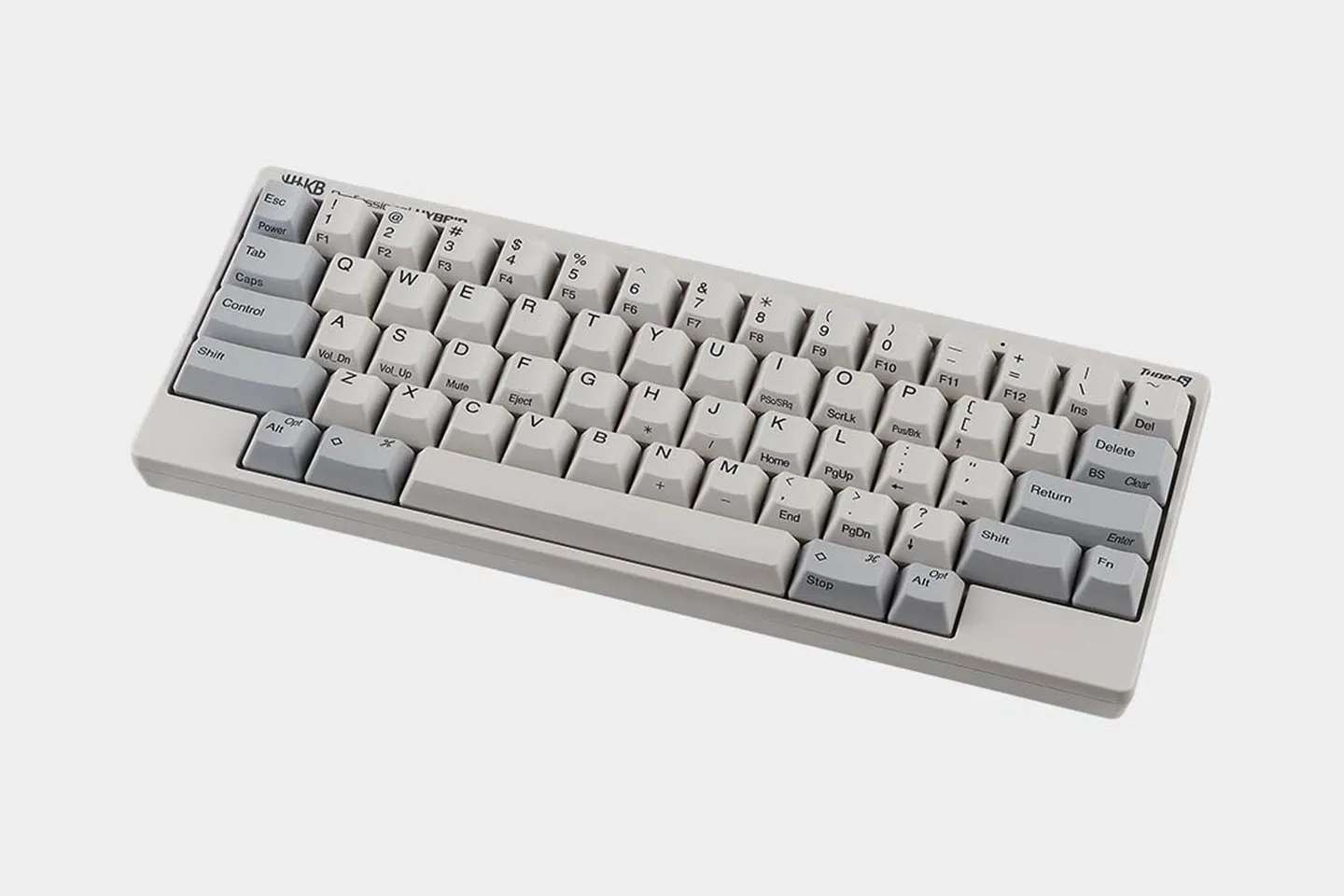
Bluetooth frees your desk from a tangle of cables and lets a single keyboard travel with you between devices, rather than being tethered to one machine. Three keyboards in our lineup connect over Bluetooth: the Professional HYBRID Type-S, the Professional HYBRID, and HHKB Studio. Each one pairs with up to four devices at once. A work laptop, a personal laptop, a tablet, and a phone can all stay paired together and switch on a keyboard shortcut. Each of the three can also connect via wired USB-C.
Learn more about the benefits of a Bluetooth mechanical keyboards below:


Which HHKB Keyboards Connect Over Bluetooth
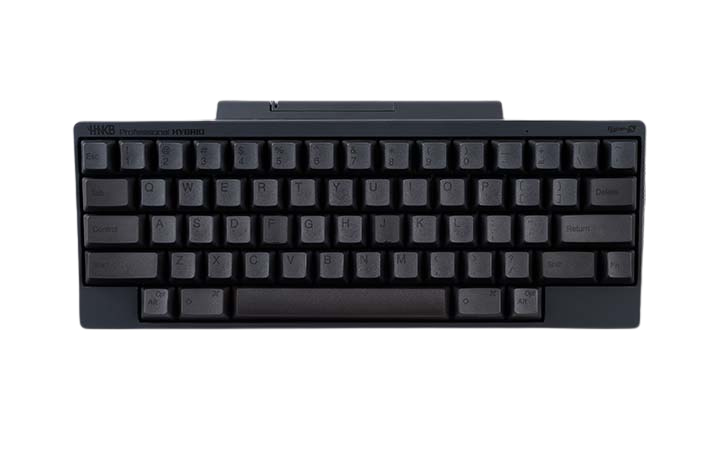
Our Bluetooth models are the HHKB Professional HYBRID Type-S, the HHKB Professional HYBRID, and HHKB Studio. The HHKB Professional HYBRID models use Topre Electrostatic Capacitive Switches, a non-contact switch design where the key registers without metal touching metal. That mechanism removes the bounce that causes key chatter, the repeated or missed keypress you get when contacts rattle. The Type-S build then silences the switch further with added buffer components. If you want the quietest wireless option we make, the HHKB Professional HYBRID Type-S is that keyboard.
The HHKB Professional HYBRID shares the same Topre switches and the same 45g actuation force, the weight of press needed before a key registers. It skips the added silencing of the Type-S build. HHKB Studio takes a different path: it uses the HHKB Studio Original Kailh Linear 45g switch, a Cherry MX-compatible linear that is not Topre, and adds integrated mouse functionality and gesture pads for people who want to keep their hands in one place while they work.
How HHKB Bluetooth Pairing Works Across up to Four Devices
Each Bluetooth model stores up to four device pairings simultaneously, so switching from your work laptop to a tablet takes one key shortcut rather than a trip through a settings menu. We store your custom keymap on the keyboard itself, not on the host, so your personal layout follows you to every paired machine without reinstalling anything, including HHKB's signature Control key placement, one of the things that makes our layout distinct from a standard keyboard. That matters most for a multi-device day, when the same keyboard drives a desktop at your desk, a laptop in a meeting room, a tablet for review, and a phone on the couch.
HHKB Studio holds up to four separate keymap profiles on-device and switches between them with a shortcut, which is useful when one profile handles coding and another handles video editing. All three Bluetooth models also work as a plain USB-C keyboard the moment you plug a cable in. You can compare the full wireless family on our Professional HYBRID overview.
Choosing Between Our Bluetooth Models
Pick by switch feel and by how much input hardware you want built in. All three share the 60 percent form factor, roughly 40 percent smaller than a full-size board, and all three pair with up to four devices over Bluetooth and connect over USB-C. The differences are the switch and silencing, plus whether you want pointing controls on the board.
| Model | Switch | Silencing | Custom keymapping | Built-in pointing input |
|---|---|---|---|---|
| Professional HYBRID Type-S | Topre, silenced | Yes, Type-S buffer components | Yes | No |
| Professional HYBRID | Topre | Standard | Yes | No |
| HHKB Studio | HHKB Studio Original Kailh Linear 45g, Cherry MX compatible | Standard | Yes, up to four on-device profiles | Yes, pointing stick and 3 mouse buttons, 4 Gesture Pads |
Choose the Professional HYBRID Type-S when quiet is the priority, such as typing late at night next to a sleeping partner or taking calls in an open-plan office. Choose the Professional HYBRID when you want the Topre feel and onboard keymapping at a lower point in the Professional line. Choose the Studio when you want to drive a cursor without leaving the home row, or when hot-swappable switches, which you can pull and replace by hand without soldering, matter to you.
Wired and Wireless on the Same Keyboard
Every HHKB Bluetooth model is also a wired USB-C keyboard, and the switch is instant. Bluetooth may add a small amount of latency compared with a direct cable, which some people notice in fast-paced games and most people never feel while typing prose or code. When latency has to be zero, or when a locked-down enterprise environment blocks Bluetooth peripherals entirely, you plug in the USB-C cable and the same keyboard keeps every custom setting. HHKB Studio runs Bluetooth from an integrated battery box, and over USB-C it draws power through the cable, so a low battery never stops your work. HHKB Studio product page covers its connectivity and input hardware in full.
What About HHKB Models Without Bluetooth
The Professional Classic and Professional Classic Type-S are wired-only and connect over USB-C. We keep wired-only models in the line on purpose. A cable removes pairing steps, battery management, and any wireless policy question in a secured office, and some typists simply prefer a permanent connection. The tradeoff is real: a wired keyboard stays at one desk and does not follow you across four devices the way a Bluetooth model does. If a permanent cable fits your setup better, our wired keyboard feature page walks through those two models.
Find Your HHKB Bluetooth Wireless Mechanical Keyboard
Start with switch feel, then decide whether you want extra controls built into the board. If you want silent Topre and just the keys, look at the Professional HYBRID Type-S; if you want a pointing stick and Gesture Pads, look at HHKB Studio. See the full range on our HHKB lineup page and pick the connectivity that fits how you work.
Bluetooth Keyboard FAQs
Yes. The Professional HYBRID Type-S, the Professional HYBRID, and HHKB Studio each connect over Bluetooth and USB-C, and you can switch between the two at any time.
Each Bluetooth model pairs with up to four devices and switches between them using a keyboard shortcut. Your custom keymap is stored on the keyboard, so it carries across every paired device.
No. The Studio uses HHKB Studio Original Kailh Linear 45g switch, which is Cherry MX compatible and accepts MX-style 3-pin and 5-pin switches. Topre switches are found in our Professional HYBRID and Professional HYBRID Type-S models. You can read more about that switch technology in our Topre switches article.
No. Every HHKB Bluetooth model also runs over USB-C, and the Professional Classic and Professional Classic Type-S are wired-only. There is no wireless-only model in the lineup.