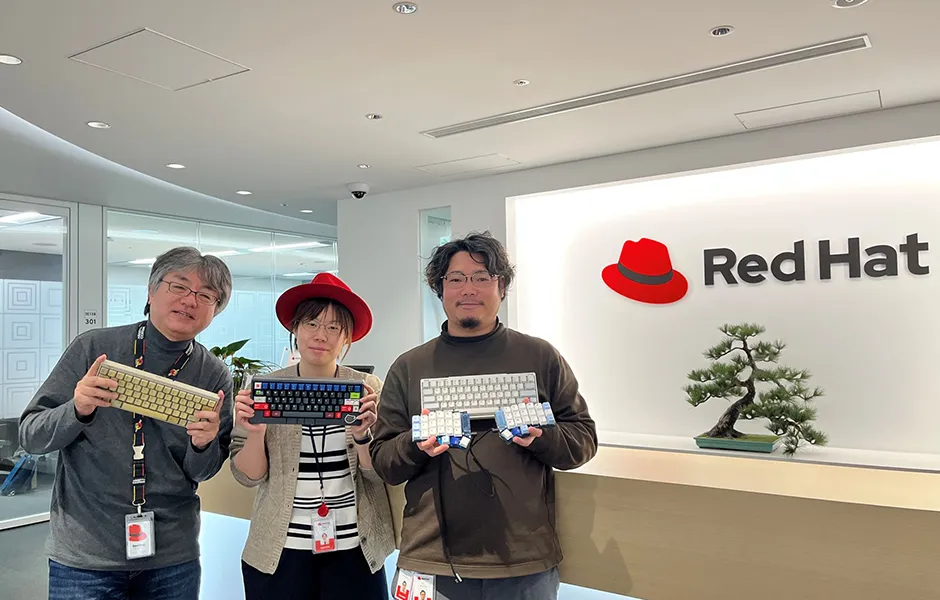
Keyboards are such deep and intricate tools that the term “keyboard enthusiast” has emerged to describe the vibrant culture of loving all things keyboards. At Red Hat K.K., engineers seem to view keyboards not only as tools but also as hobbies. There’s even a “Keyboard Club” dedicated to appreciating and showing off keyboards.
We visited Yamashita, Saito, and Tanaka from Red Hat’s Keyboard Club to hear about their passion for keyboards and the pride they take in the work they are involved in.
Unsung Heroes! Red Hat, the company that supports our daily lives
Browsing the internet, backing up photos taken on your phone to the cloud, withdrawing cash from an ATM—these services are seamlessly integrated into our everyday lives. They operate thanks to the collaboration of various companies: those providing cloud server infrastructure, those developing system programs to access data, and those creating operating systems.
At the very foundation of this infrastructure, Red Hat K.K. supports the creation of modernized systems, optimizing outdated IT assets to make them more “up-to-date” and efficient.

Red Hat's company logo
“Red Hat's products are used in places you can't see, so even if we gave a demonstration, it would be incredibly low-key," says Saito. He laughs, “Even if we show someone that they can automatically operate and reboot servers, it won't be very popular."
Tanaka also laughs, "My department's work is also very simple. When I tell people that we are building the infrastructure that supports the services provided by our clients, their response is likely to be, 'So what?’”
However, Saito points out that “when incidents in social infrastructure make the news, we are usually involved,” highlighting how Red Hat supports essential infrastructure critical to daily life.
“It is a low-profile field, but we cover everything from the OS to the upper middleware layer that underpins the applications that run on it. It's hard to explain, but that's the kind of work we at Red Hat are involved in."
What kind of place is the Keyboard Club, where love for keyboards runs wild?
Though Red Hat may work behind the scenes, it is an essential part of our daily lives, employing many engineers. For these engineers, the indispensable tool for interacting with their systems is the keyboard.
However, Red Hat has a “Keyboard Club” whose members love keyboards not just as tools, but as a hobby. What kind of activities does the Keyboard Club do? We asked Yamashita, the club leader, as well as club members Saito and Tanaka, to find out.
HHKB: What does the Keyboard Club do?
Yamashita: Red Hat's Keyboard Club is an informal community of keyboard enthusiasts that was created around April 2024. Currently, 21 members actively exchange information in chat and off-site meetings.
HHKB: Did you create this club, Yamashita-san?
Yamashita: Yes. I felt that keyboards were becoming a hot topic internally, so I created a chat room and added people who seemed to like keyboards. That was how it started.
Saito: I joined the club after being suddenly called to join by the director (laughs). Be careful not to use unusual keyboards in the office, because the director will take notice of you.
Yamashita: I knew Saito had a lot of HHKBs.
Saito: I have seven of them.
Yamashita: I also walked around the company and made notes of people I noticed, such as "Oh, this person uses a split keyboard," or "He puts his keyboard on top of the keyboard of his notebook PC.”
HHKB: May I ask what is the activity policy of the Keyboard Club?
Yamashita: Actually, I made an agenda slide at the kick-off off-site meeting. I think of the keyboard as "an indispensable tool for engineers, but on the other hand, it is also a hobby that has the aspect of a bonsai (harmony and balance) for engineers.”
What each of us looks for in a keyboard may be comfort or layout, and we also emphasize "respect for diversity," "mutual understanding," and "courtesy and common sense." This means that we should respect other people’s preferences without denying them.
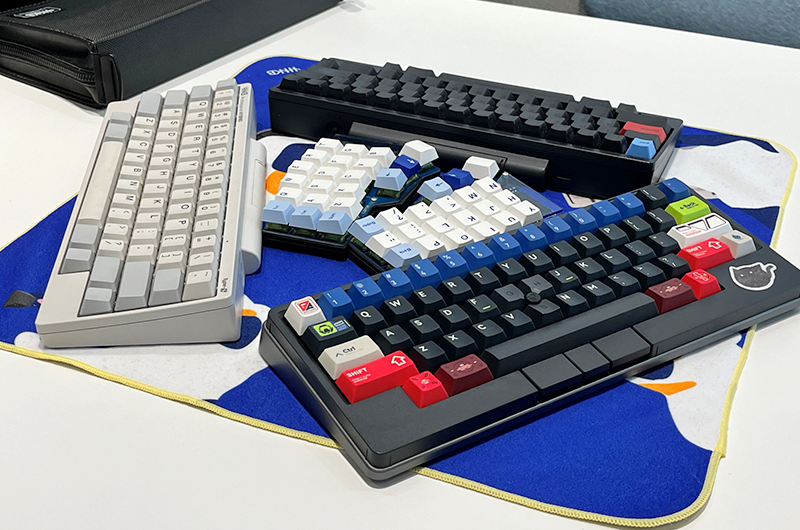
Because what we seek is different, keyboards also vary. Let's respect diversity.
HHKB: Bonsai for engineers! That's a great quote.
Yamashita: Keycaps, key switches, keymaps...everyone has their own points of particularity. I think that diversity is interesting.
Tanaka: I started out using a regular keyboard, but under the influence of a senior colleague, I started using HHKB, and from there I got hooked on the world of keyboards. I now enjoy making my own keyboards by making my own keycaps, ordering keycaps from overseas, and so on.
HHKB: It's just like growing a bonsai tree. By the way, what did you do at the off-site meeting?
Yamashita:We shared each of our particular preferences and showed off the keyboards we had bought. At our first meeting, some of us had not yet bought keyboards, so the other day we went to Akihabara's Yusha Kobo and later gathered at a café to boast about the keyboards we had purchased and show off our ‘ultimate keyboards’ we had brought along.
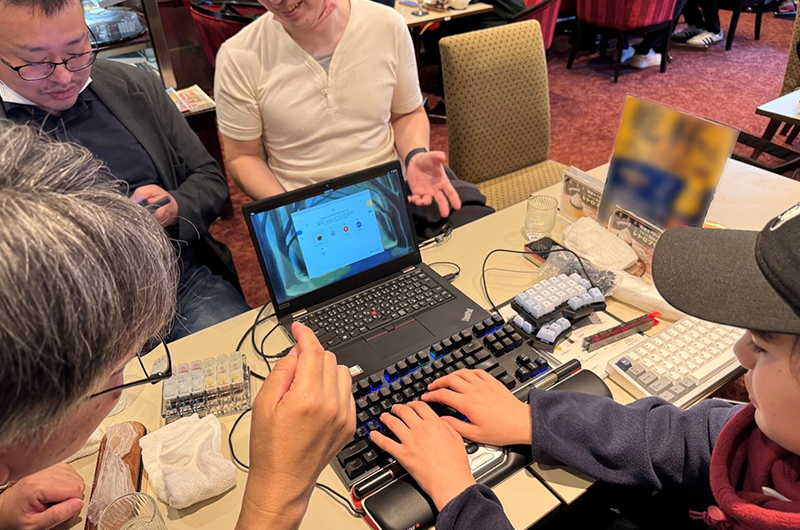
A scene from the first off-site meeting. You can feel the passion in this one.
However, simply buying keyboards or keycaps isn’t enough, as there wouldn’t be much to talk about otherwise, so we’re thinking of holding activities about once a quarter, such as sharing the keymaps we’re currently using, inviting those who have never lubricated their switches to do it together, or even building keyboards collaboratively.
HHKB: Is there anything you would like to accomplish through the activities of the Keyboard Club?
Yamashita: It is natural for engineers to love using keyboards. It is a tool for work. I think that if we can convey the appeal of keyboards to people who don't use keyboards, we will have achieved a milestone.
Ever since I started using the HHKB, I’ve been totally hooked. -Yamashita
HHKB: From here, I'd like to ask you about your keyboards, your love for keyboards and what you think about HHKB if you use one. But first, let’s start with introductions.
Yamashita:Yes, my name is Yusei Yamashita, Senior Consultant for Customer Success. As I told you, I am the head of the Keyboard Department. As for my job, I am in charge of the IT automation tool " Ansible " and my work is more focused on providing value of that product to customers rather than development.
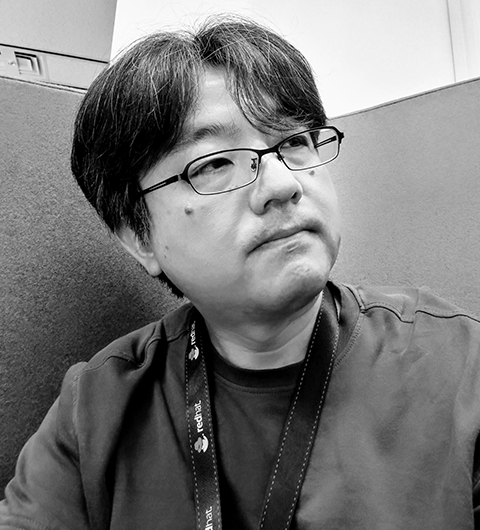
Saito
Saito: I am Hideki Saito, Principal Software Maintenance Engineer, Global Support Service. I mainly provide technical support for Ansible and also develop the open-source version. Previously, I worked with Sun workstations.
Tanaka: My name is Ayako Tanaka, Technical Account Manager. This is my sixth year in the business. I am in charge of partner support for a tool called Red Hat OpenShift Container.
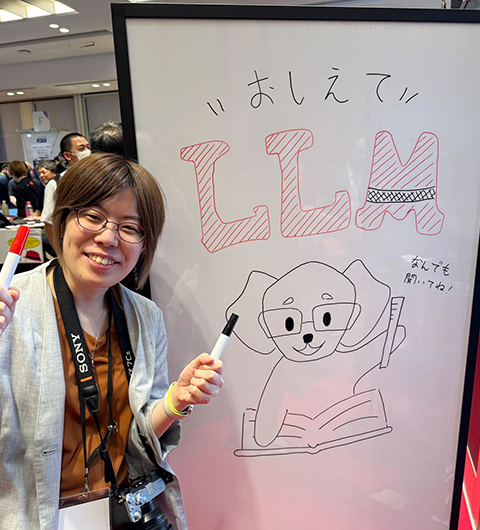
Ayako Tanaka
HHKB: What kind of keyboard do you use, and may I ask if you have HHKB?
Tanaka: I am currently using four HHKB series keyboards I started using HHKB Professional2 when I was in my second year of working and have gradually added the HHKB Professional HYBRID and HHKB Studio. All of them are English layout.
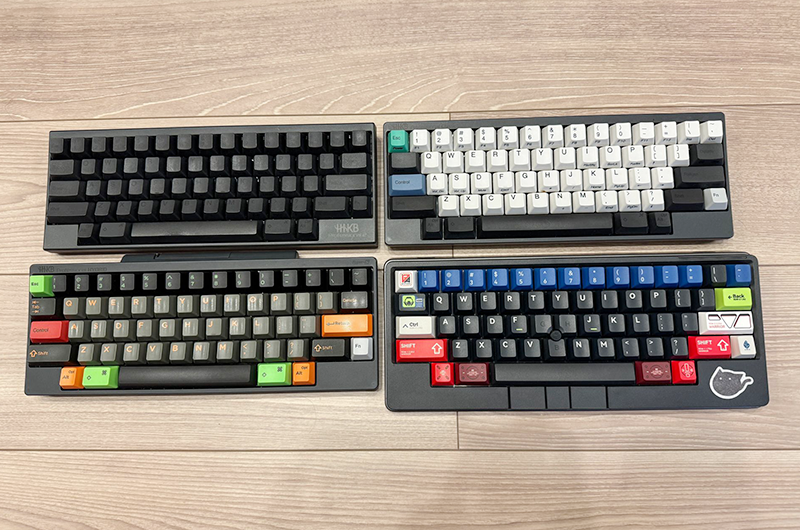
Tanaka's four HHKBs
Saito: Currently, I mainly use HHKB Studio, but I have been using HHKB for 25 years. The first mass-produced model PD-KB02 was my first one, and I have used seven more since then. I also use the Moonlander split keyboard and the Kinesis Advantage360. The Kinesis Advantage360 has a unique worshipping shape.
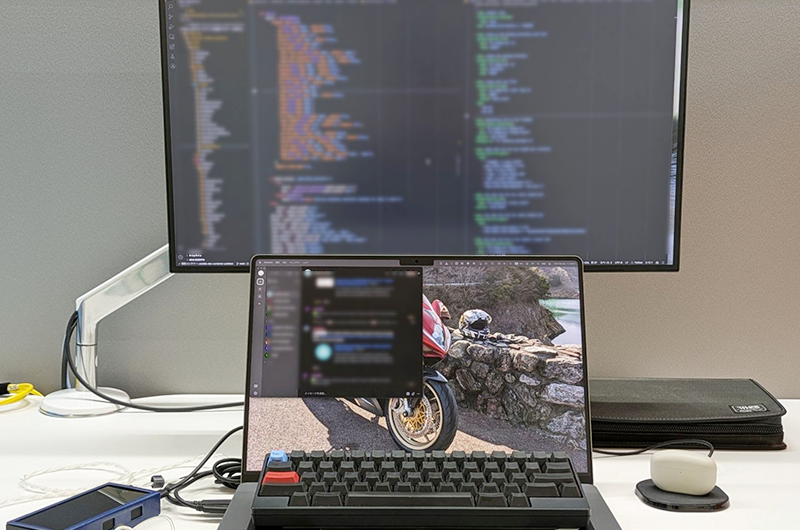
Using in the Sonshi Style (style of putting keyboard on laptop).
Yamashita: I have a lot of them, but for everyday use, I enjoy using the split keyboard "Corne V2", my own keyboard "Tofu 2.0", then HHKB Professional2, HHKB Professional HYBRID Type-S, and HHKB Studio, etc.
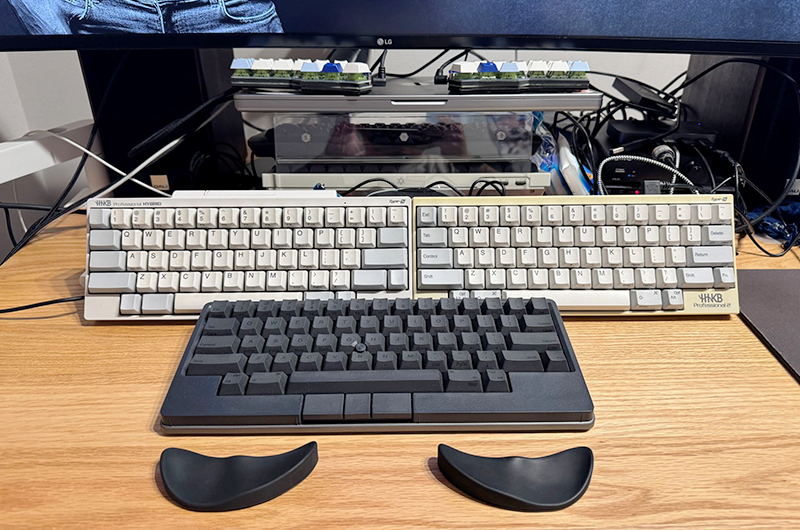
Yamashita's HHKB lineup
HHKB: I see that you have been using HHKB for a while now. How did you come to know about it and how did you come to purchase it?
Saito: Back when I worked with Sun workstations at the office and at home, I used to bring my own keyboard, but those dedicated ones were really heavy. The Happy Hacking Keyboard is called a ‘60% keyboard,’ while the Sun keyboard I used was full-size, or 100%. One day, I came across the Happy Hacking Keyboard in a backstreet basement in Akihabara, bought it, used it, and it was great. It's small, has a power button, 8-pin mini DIN, and is compatible with PS2 and Mac ADB keyboards. From there, I was hooked.
Yamashita: “Saito’s got an insane number, right?”
Saito: “Don’t say ‘insane’! (laughs)”
All: (laughs)
Yamashita: My first encounter with the Happy Hacking Keyboard was with the HHKB Professional2 nine years ago. I first encountered it when a senior colleague in my university lab used one and told me, "This is really good for coding.” I was interested in it, but it was too expensive for me to buy.
One day, I was so busy with work that I thought, "I want to write code more efficiently," and I blew off my hesitation and bought it. It was hard to get used to it because it didn't have cursor keys, but once I got used to it, it was very comfortable, and I was able to get a lot of coding done.
Tanaka: I wasn't particularly interested in keyboards when I started working. However, one of my seniors was using a REALFORCE keyboard, and I thought it was cool and beautiful.
When I switched to working from home after Covid, I found an unused HHKB Professional2 in my senior's locker when he was moving out of his locker. I was told that I could use it, and that was my first encounter with HHKB.
Afterwards, I noticed the HHKB Professional2 had a Micro USB Type-B connector, which was a bit inconvenient, so I wanted a model with Type-C. Later, I wanted one with Bluetooth, and eventually, when the HHKB Studio, which comes with a pointing stick, came out, I bought it. That’s how it all happened.
I started customizing the keycaps because I found it difficult to see the legends on the original ones. One swap led to another, and before I knew it, I had a full-on ‘Frankenstein’ keyboard. On my HHKB Studio, literally every key has been replaced except the ones in the center—the pointing stick and the G, H, and B keys around it (laughs).
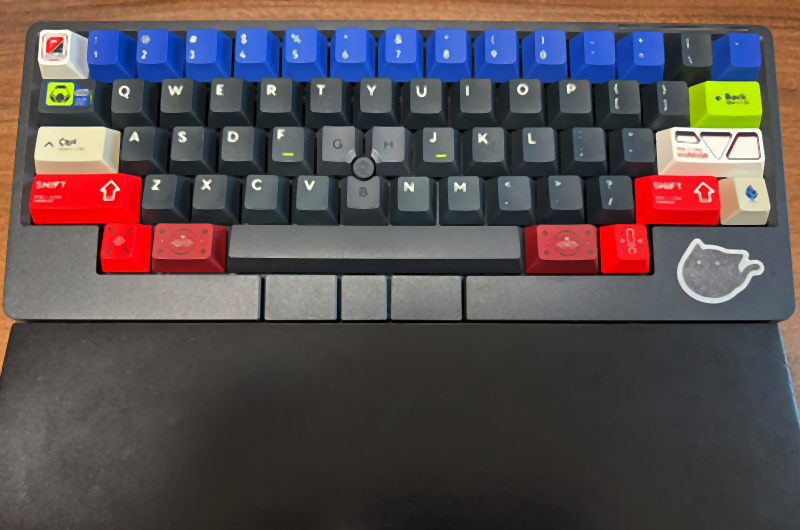
Tanaka's HHKB studio
Yamashita: It's so stylish!
Tanaka: I tried to make one out of resin, but it was difficult to make it durable, and it was not beautiful because of air bubbles. So I made them and removed them, and then I bought them from Yousha Kobo or overseas mail order sites.
HHKB: Do you have any complaints after actually using HHKB? Of course, we would also like to hear about any good points.
Yamashita: Can I start with what I think is great? (Laughs). I find the layering using the function keys very convenient. Thanks to this, it is a compact size and easy to carry around. And it's nice that it runs on batteries. You can get it anywhere. And the fact that it supports four Bluetooth pairings is nice. It's got all the features I wanted in a keyboard!
I find the layering using the function keys very convenient. Thanks to this, it is a compact size and easy to carry around. -Yamashita
I couldn't think of anything to complain about, but when I started making my own keyboard, I noticed something. The space key is long. I sometimes think, “Does it really need to be this long?” But then again, all the keyboards I build myself still follow the HHKB layout (laughs).
Saito: Isn't the tilde position strange?
Yamashita: You can use the function keys by pressing them at the same time. That would be good. But I don't want this length of the space key.
Tanaka: The boss already covered everything I was going to say ...
Saito: He really did...(laughs) But seriously, layering is awesome. And the AA batteries? Love them.
Tanaka: The dry cell batteries are great. They are the best.
Saito: You don’t have to constantly worry about charging, which is great. Imagine bringing it to a data center only to find out the battery’s dead, that would be rough. I think the philosophy that runs through the entire HHKB is wonderful. From the first membrane type, the capacitive non-contact type, to the HHKB Studio's mechanical key switches, they all have a consistent feeling of comfort. Even my own keyboard has the same key switches as the HHKB Studio.
Speaking of HHKB Studio, the pointing stick is nice. But I turned off the side and front slide bars (gesture pads).
Tanaka: Oh, really? I have left them turned on.
Yamashita: Oh, I see.
Tanaka: I use Adobe products such as Illustrator outside of work, and it is useful for assigning shortcuts and moving the screen.
Yamashita: Oh, I like that. I see.
HHKB: I heard that you have Red Hat Enterprise Linux. Is your working environment also Linux?
Yamashita: It's Mac…
Saito: Yes, Mac.
Tanaka: I work with Mac…
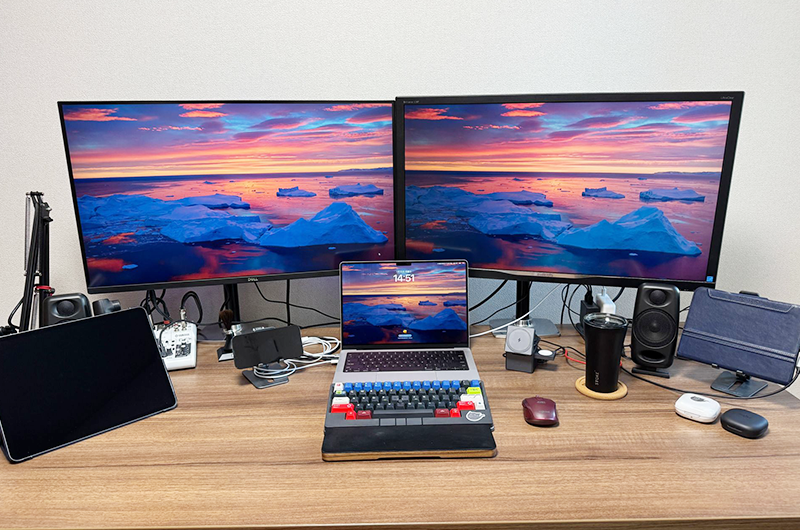
Tanaka's work environment
Saito: Oh, but many engineers use Linux! In technical support, it’s 90% Linux. Only about 10% are Mac users—and somehow, all those misfits ended up here together.
All: (laughs)
HHKB: Our time is nearly up. If there is anything you would like to say before we wrap up, I would love to hear it.
Tanaka: I really wasn't interested in keyboards at all before I encountered HHKB, but I think the Happy Hacking Keyboard has the power to instantly get even people like that hooked. I made a split keyboard that perfectly mimics the HHKB layout. It is quite comfortable to use and solves the "long space key problem" that Yamashita mentioned. You might just end up thinking, “There's nothing else like this.”
Saito: Everyone seems to have a split keyboard now, all in the HHKB layout, and they keep saying, ‘HHKB should make an official split version!’ But I say, leave it as it is! That way, no matter how many I buy, nobody would ever notice.
All: (laughs)
Saito: I’ve always liked this design, and I’ve been using it for 25 years—how often do you find a tool you can stick with that long? I really like the philosophy that HHKB has carried through, so I hope it never changes. That said, I’m still debating whether to grab the Snow model of the HHKB Studio (laughs).
I’ve always liked this design, and I’ve been using it for 25 years—how often do you find a tool you can stick with that long? -Saito
Yamashita: I always say this when I talk about keyboards, but for me a keyboard is a journey. My starting point is the HHKB, and from there I use self-made keyboards, other keyboards with a high degree of freedom, as well as split 40% keyboards. That's what I'm into now. I go around, trying out this and that, thinking, ‘I like this one’ or ‘I want to try that.’ Of course, some things I stop using, but that’s all part of the journey. And then, I often find myself coming back to the HHKB, loving those capacitive non-contact switches all over again. HHKB feels like home. It gives me a sense of comfort. ‘Ah, I’m back,’ I think. It’s my origin, and I want to keep exploring from here.
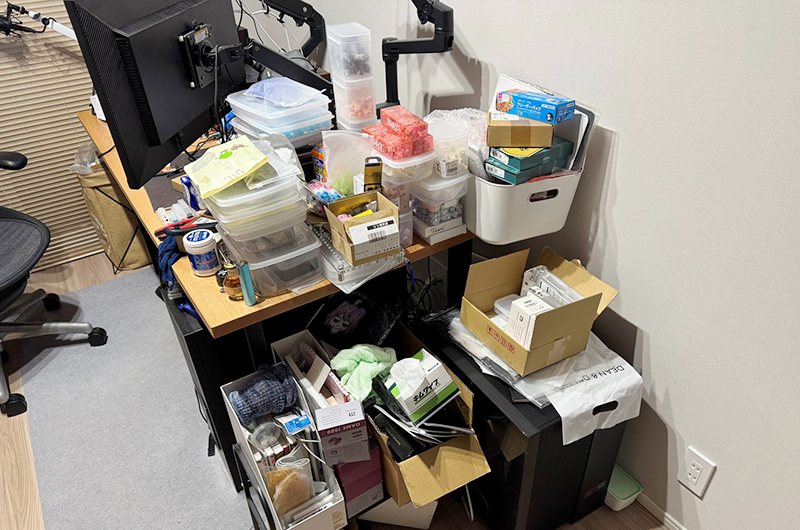
A large number of key switches necessary for the keyboard journey, including self-made keyboards, are arranged and placed beside the work desk.
HHKB: Great words of wisdom. Thank you all for your time today.
After the interview
Red Hat K.K. brings together engineers who develop the infrastructure that supports our daily lives. We were able to learn a lot about their passion not only for their work, but also for their keyboards, which are both a tool and a hobby.
We heard such quotes as, "A keyboard is a bonsai for engineers," “A keyboard is a journey,” and “HHKB feels like home.”
Some might say, "Keyboards are all the same, aren't they?”. But I hope that many people will try HHKB and experience the feeling of expanding their world just by changing keyboards.
Thank you to the Keyboard Club members for kindly taking the time to participate in this interview despite your busy schedules.
\Click here to visit Red Hat K.K./
Author
Marika Watanabe
A freelance writer with a deep love for gadgets that run on electricity. She has many hobbies: she enjoys horses and holds a riding license, loves the sea and has a Class 2 small boat operator license, and fulfilled a long-time dream by obtaining an ordinary motorcycle license. While curbing her material desires, she also pursues analog interests, with knitting serving as a lifelong passion.